Modern local image studio

Texture Tiling Checker

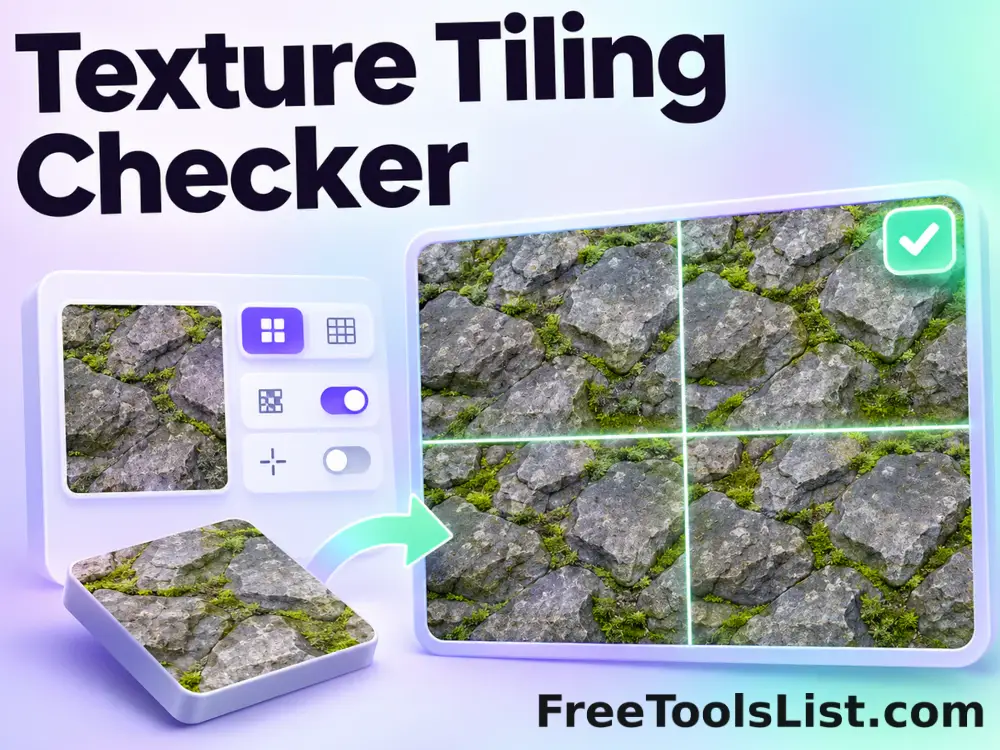
Repeat an image in a configurable grid, shift the pattern and optionally mark every seam for visual inspection.

● Preview before saving · Browser-local processing · No account

Texture Tiling Checker workspace

Load images, adjust the visible controls and review the canvas before saving a new file.

Local · original safe

Loading the Tiling Checker canvas…

Quick Tool Overview

Tiling Checker with a preview-first workflow.

The Texture Tiling Checker helps you test whether a texture repeats cleanly before it is used as a large background or material.

The source is drawn repeatedly into a preview canvas with independent grid, offset and seam-overlay controls.

CANVASLive preview
LOCALPrivate processing
GRIDFocused controls
0Accounts needed
Review before use. This is a visual checker; it does not guarantee that color, normal or displacement maps share identical seams.
About the Tool

What the Texture Tiling Checker does.

Primary purpose

Use this page to test whether a texture repeats cleanly before it is used as a large background or material.

Transparent method

The source is drawn repeatedly into a preview canvas with independent grid, offset and seam-overlay controls.

Preview-first design

The complete canvas is visible before the Save result button creates a download.

Private images

Selected files stay on this computer and are never sent to an external image service.

Original-safe workflow

The original file is only read. Every export is created as a separate result.

Important limitation

This is a visual checker; it does not guarantee that color, normal or displacement maps share identical seams.

Key Features

A complete, modern tiling checker workspace.

▧

Live canvas before saving

The complete tiling checker result remains visible before any download begins.

↔

Focused controls

Use explicit controls for horizontal and vertical tile counts, offsets, seam marking and seam color.

✓

Browser-local image work

Pixel analysis and canvas rendering stay in the current browser; the lossless JPEG tool contacts only this local server.

↓

Original-safe export

Source files are read only and every saved result is created as a separate file.

How to Use the Texture Tiling Checker

Complete the task in five detailed steps.

Load source images

Choose the local image required for the task, or use Load demo to explore the controls safely.

Step 1: Keep the original source available for comparison.

Configure the controls

Adjust horizontal and vertical tile counts, offsets, seam marking and seam color. The preview updates locally so settings remain visible and reproducible.

Step 2: Keep the original source available for comparison.

Inspect the live canvas

Review the complete canvas before saving. Toggle seam marks off after locating boundaries and inspect repeated high-contrast features.

Step 3: The canvas is the final visual checkpoint before saving.

Check measurements and warnings

Read the displayed dimensions, counts, percentages or format details and account for this limitation: This is a visual checker; it does not guarantee that color, normal or displacement maps share identical seams.

Step 4: Keep the original source available for comparison.

Save a new result

Choose PNG or JPEG where available and download only after the preview is correct. The original source file is never overwritten.

Step 5: Keep the original source available for comparison.

Ready to begin?

Build the result locally and inspect it first.

No sign-up, remote image queue or source overwrite.

Open Tiling Checker →

Frequently Asked Questions

Popular tiling checker questions.

The source is drawn repeatedly into a preview canvas with independent grid, offset and seam-overlay controls.

Toggle seam marks off after locating boundaries and inspect repeated high-contrast features.

This is a visual checker; it does not guarantee that color, normal or displacement maps share identical seams.

Yes. It works locally without an account, subscription, watermark or usage quota.

No. Image processing stays in this browser. The lossless progressive-JPEG page sends the JPEG only to the FreeToolsList.com server running on this computer so its bundled jpegtran utility can perform the transform.

Keep exploring

Similar Tools

Continue with related free tools selected from this category and the wider directory.

20 tools
Automatic Detail Enhancer tool previewADImages

Automatic Detail Enhancer

Enhance local detail, texture and perceived clarity automatically with intensity, radius, contrast and color-protection controls.

Canvas Texture Photo Effect tool previewCTImages

Canvas Texture Photo Effect

Give a photograph a woven artist-canvas texture with fiber intensity, size, density, angle and sharpening controls on a live preview.

Image DPI Checker & Converter tool previewIDImages

Image DPI Checker & Converter

Inspect pixel dimensions, file size and estimated print measurements, choose a new DPI value, preview the unchanged pixels and export a high-quality JPEG with print density metadata.

Image Similarity Checker tool previewISImages

Image Similarity Checker

Calculate a pixel-based image similarity percentage with color or luminance comparison and a visual heatmap.

Progressive or Baseline JPEG Checker tool previewPOImages

Progressive or Baseline JPEG Checker

Inspect JPEG markers locally to determine whether a file uses baseline or progressive scan encoding.

Seamless Texture Maker tool previewSTImages

Seamless Texture Maker

Create a repeatable texture using mirrored or offset blending and inspect a multi-tile proof before saving.

360° Bottom Pole Converter tool preview3BImages

360° Bottom Pole Converter

Free online 360 bottom pole converter. Convert a circular polar image into a wide equirectangular bottom-pole strip for 360° panoramas, with radius, rotation, feathering, flip and export controls. Preview the polar-to-strip result locally before downloading.

Abstract Strokes & Dots Effect tool previewASImages

Abstract Strokes & Dots Effect

Rebuild a photo as an abstract composition of sampled color strokes and dots with intensity, density, smoothing, color smoothing and a repeatable seed.

Add Noise to Image tool previewANImages

Add Noise to Image

Add Noise to Image lets you add controllable monochrome or color grain locally in your browser, compare the result, and download a ready-to-use file.

Adjust Image Gamma tool previewAIImages

Adjust Image Gamma

Adjust Image Gamma lets you reshape midtone brightness without applying a flat offset locally in your browser, compare the result, and download a ready-to-use file.

Adjust Image HSL tool previewAIImages

Adjust Image HSL

Adjust Image HSL lets you control hue, saturation and lightness in one workspace locally in your browser, compare the result, and download a ready-to-use file.

Adjust RGB Channels tool previewARImages

Adjust RGB Channels

Adjust RGB Channels lets you scale individual red, green and blue channels locally in your browser, compare the result, and download a ready-to-use file.

Animated GIF Caption & Background Studio tool previewAGImages

Animated GIF Caption & Background Studio

Add outlined captions or meme bars to an animated GIF, fit it into a synchronized blurred square background, preview the motion on canvas and locally re-encode the reviewed GIF.

Animated GIF Effects & Transparency Editor tool previewAGImages

Animated GIF Effects & Transparency Editor

Adjust brightness, contrast, saturation and hue, apply grayscale, sepia, invert or glitch effects, or remove a selected color from every animated GIF frame with live canvas feedback.

Animated GIF Joiner, Collage & Grid Maker tool previewAGImages

Animated GIF Joiner, Collage & Grid Maker

Join two to four animated GIFs horizontally, vertically or in a 2×2 grid with fit, cell-size, gap, background, duration and frame-rate controls plus a live synchronized canvas.

Animated GIF Logo, Sticker, Paint & Censor Editor tool previewAGImages

Animated GIF Logo, Sticker, Paint & Censor Editor

Place a logo or emoji, paint freehand marks, or blur and pixelate a selected region across an animated GIF using movable canvas overlays and local re-encoding.

Animated GIF Timeline, Speed & Boomerang Editor tool previewAGImages

Animated GIF Timeline, Speed & Boomerang Editor

Trim frames, change speed, reverse playback, make a boomerang, reorder individual frames and set the loop count on a visual GIF timeline before re-encoding locally.

Animated GIF Transform Studio tool previewAGImages

Animated GIF Transform Studio

Flip, rotate, resize, crop, circle-crop or round the corners of an animated GIF in one non-duplicated workspace with exact dimensions and a synchronized canvas preview.

Animated Text to GIF Maker tool previewATImages

Animated Text to GIF Maker

Create an animated text GIF with typewriter, fade, bounce or neon motion, exact canvas sizing, colors, typography, speed and loop controls, plus a live canvas preview before export.

Auto Contrast Image tool previewACImages

Auto Contrast Image

Automatically detect useful black and white points, expand image contrast and preview the corrected photograph on a live before-and-after canvas.

PublishedUpdated