Modern local image studio

Lossless Progressive JPEG Converter

Convert a baseline JPEG to progressive scan order without recompressing image pixels using a bundled local jpegtran binary.

● Preview before saving · Browser-local processing · No account

Lossless Progressive JPEG Converter workspace

Load images, adjust the visible controls and review the canvas before saving a new file.

Local · original safe

Loading the Progressive JPEG canvas…

Quick Tool Overview

Progressive JPEG with a preview-first workflow.

The Lossless Progressive JPEG Converter helps you prepare progressive JPEG delivery while preserving the existing compressed image data.

The page sends the selected JPEG only to the localhost server, where jpegtran reorganizes scan data and optionally copies metadata and optimizes Huffman tables.

CANVASLive preview
LOCALPrivate processing
JPEGFocused controls
0Accounts needed
Review before use. This lossless transform supports JPEG input only; malformed or unsupported JPEG variants may be rejected.

About the Tool

What the Lossless Progressive JPEG Converter does.

Primary purpose

Use this page to prepare progressive JPEG delivery while preserving the existing compressed image data.

Transparent method

The page sends the selected JPEG only to the localhost server, where jpegtran reorganizes scan data and optionally copies metadata and optimizes Huffman tables.

Preview-first design

The complete canvas is visible before the Save result button creates a download.

Private images

Selected files stay on this computer and are never sent to an external image service.

Original-safe workflow

The original file is only read. Every export is created as a separate result.

Important limitation

This lossless transform supports JPEG input only; malformed or unsupported JPEG variants may be rejected.

Key Features

A complete, modern progressive jpeg workspace.

▧

Live canvas before saving

The complete progressive jpeg result remains visible before any download begins.

↔

Focused controls

Use explicit controls for metadata preservation and Huffman optimization.

✓

Browser-local image work

Pixel analysis and canvas rendering stay in the current browser; the lossless JPEG tool contacts only this local server.

↓

Original-safe export

Source files are read only and every saved result is created as a separate file.

How to Use the Lossless Progressive JPEG Converter

Complete the task in five detailed steps.

Load source images

Choose the local image required for the task, or use Load demo to explore the controls safely.

Step 1: Keep the original source available for comparison.

Configure the controls

Adjust metadata preservation and Huffman optimization. The preview updates locally so settings remain visible and reproducible.

Step 2: Keep the original source available for comparison.

Inspect the live canvas

Review the complete canvas before saving. Preview the converted file, compare byte size and verify that it reports as progressive before deployment.

Step 3: The canvas is the final visual checkpoint before saving.

Check measurements and warnings

Read the displayed dimensions, counts, percentages or format details and account for this limitation: This lossless transform supports JPEG input only; malformed or unsupported JPEG variants may be rejected.
Step 4: Keep the original source available for comparison.

Save a new result

Choose PNG or JPEG where available and download only after the preview is correct. The original source file is never overwritten.

Step 5: Keep the original source available for comparison.

Ready to begin?

Build the result locally and inspect it first.

No sign-up, remote image queue or source overwrite.

Open Progressive JPEG →

Frequently Asked Questions

Popular progressive jpeg questions.

The page sends the selected JPEG only to the localhost server, where jpegtran reorganizes scan data and optionally copies metadata and optimizes Huffman tables.

Preview the converted file, compare byte size and verify that it reports as progressive before deployment.

This lossless transform supports JPEG input only; malformed or unsupported JPEG variants may be rejected.

Yes. It works locally without an account, subscription, watermark or usage quota.

No. Image processing stays in this browser. The lossless progressive-JPEG page sends the JPEG only to the FreeToolsList.com server running on this computer so its bundled jpegtran utility can perform the transform.

Keep exploring

Similar Tools

Continue with related free tools selected from this category and the wider directory.

20 tools
Image Compressor tool previewICImages

Image Compressor

Compress PNG, JPG and WebP images in a private batch workspace with quality, resizing, progressive JPEG, WebP and AVIF options, ZIP export and a real before-and-after canvas.

Image DPI Checker & Converter tool previewIDImages

Image DPI Checker & Converter

Inspect pixel dimensions, file size and estimated print measurements, choose a new DPI value, preview the unchanged pixels and export a high-quality JPEG with print density metadata.

Progressive or Baseline JPEG Checker tool previewPOImages

Progressive or Baseline JPEG Checker

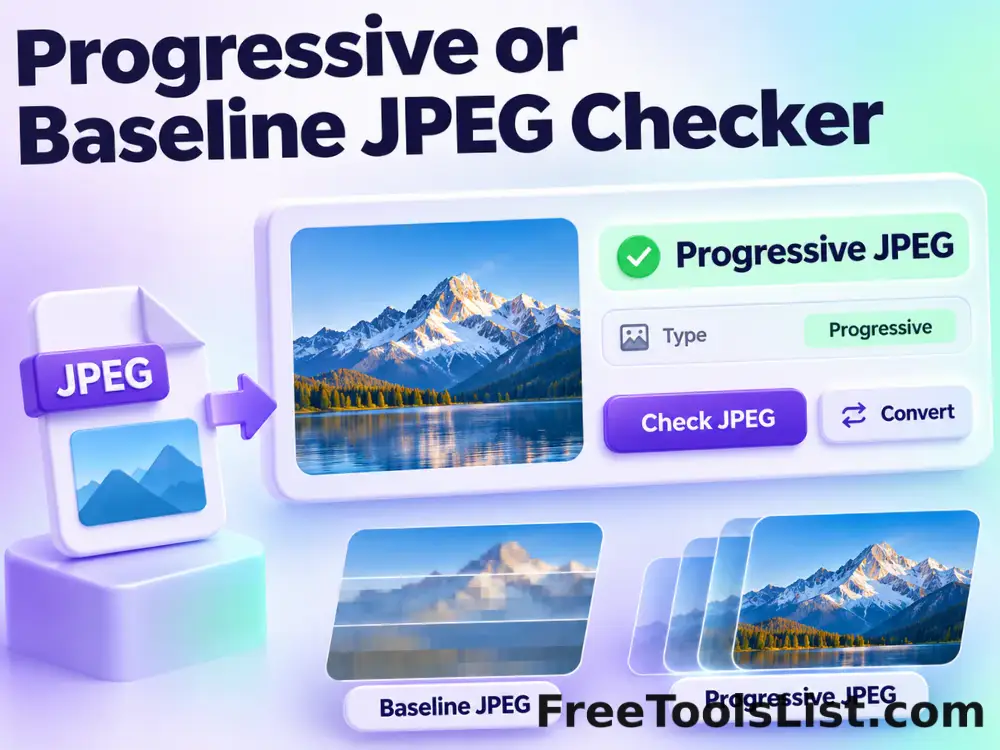
Inspect JPEG markers locally to determine whether a file uses baseline or progressive scan encoding.

Universal Batch Image Format Converter tool previewUBImages

Universal Batch Image Format Converter

Batch convert browser-decodable images and baseline TIFF files to AVIF, WebP, PNG or JPEG with quality, resizing, transparency, background color, AVIF effort, ZIP export and a live result canvas before saving.

360° Bottom Pole Converter tool preview3BImages

360° Bottom Pole Converter

Free online 360 bottom pole converter. Convert a circular polar image into a wide equirectangular bottom-pole strip for 360° panoramas, with radius, rotation, feathering, flip and export controls. Preview the polar-to-strip result locally before downloading.

Bulk SVG Converter & Viewer tool previewBSImages

Bulk SVG Converter & Viewer

Process multiple SVG files locally to upload or paste SVG markup, set exact output dimensions and pixel density, preview the raster canvas and export PNG, review every result, and download the completed batch as a ZIP.

EXIF Metadata Editor tool previewEMImages

EXIF Metadata Editor

Edit common photo titles, descriptions, creator details, dates, keywords, rights, camera fields and GPS coordinates without recompressing JPEG pixels.

EXIF Metadata Viewer tool previewEMImages

EXIF Metadata Viewer

Inspect JPEG EXIF, IPTC, XMP, GPS, camera and image-segment metadata locally with a searchable report and visual photo canvas.

Favicon Converter tool previewFCImages

Favicon Converter

Convert a PNG, JPG, WebP, GIF or SVG image into a complete browser-ready favicon package with live square-fit controls, six canvas previews, a multi-size ICO and ZIP download.

Hue Shift Image Generator tool previewHSImages

Hue Shift Image Generator

Rotate every image color around the HSL hue wheel from −180° to +180°, inspect the live full-resolution canvas, compare the original and export PNG, JPEG or WebP.

Image to HTML Converter tool previewITImages

Image to HTML Converter

Convert an image into a portable HTML img element with an embedded Base64 data URI, accessible alt text, responsive sizing options and a live browser-style canvas preview.

JPEG Artifact Remover tool previewJAImages

JPEG Artifact Remover

Reduce JPEG block boundaries, pixelization and small compression noise with separate artifact, deblocking, denoising and detail-recovery controls.

JPEG Quality Estimator tool previewJQImages

JPEG Quality Estimator

Estimate the JPEG encoder quality level from quantization tables and review file-size context without uploading the image.

Named Color Palette tool previewNCImages

Named Color Palette

Search standard CSS named colors, preview each color and export a visual swatch canvas in PNG or JPEG.

Photo Metadata Copier tool previewPMImages

Photo Metadata Copier

Copy selected EXIF, XMP and IPTC blocks from one JPEG to another, optionally clear destination metadata first and preview the exact transfer before saving.

Pixel to Inches, CM, MM & Feet Converter tool previewPTImages

Pixel to Inches, CM, MM & Feet Converter

Convert image dimensions between pixels, inches, centimeters, millimeters and feet with a configurable PPI value, optional image measurement and a scaled print-size canvas diagram.

PX to REM, EM, PT, VW & VH Converter tool previewPTImages

PX to REM, EM, PT, VW & VH Converter

Convert CSS pixels to rem, em, points, picas, viewport width and viewport height units with editable font and viewport references plus a live typographic scale canvas.

Remove Photo Metadata tool previewRPImages

Remove Photo Metadata

Remove EXIF, GPS, XMP, IPTC, comments and optional ICC profile data from JPEG files without recompressing image pixels.

Stereo 3D to 2D Converter tool previewS3Images

Stereo 3D to 2D Converter

Convert red-cyan anaglyphs or side-by-side stereo pairs into a regular 2D image with cleanup controls.

Straighten Image tool previewSIImages

Straighten Image

Correct a tilted horizon with a precise angle slider, live crop-safe canvas preview and PNG, JPEG or WebP export processed entirely in the browser.

PublishedUpdated