Quick Tool Overview
Create a PDF with a review-first workflow.
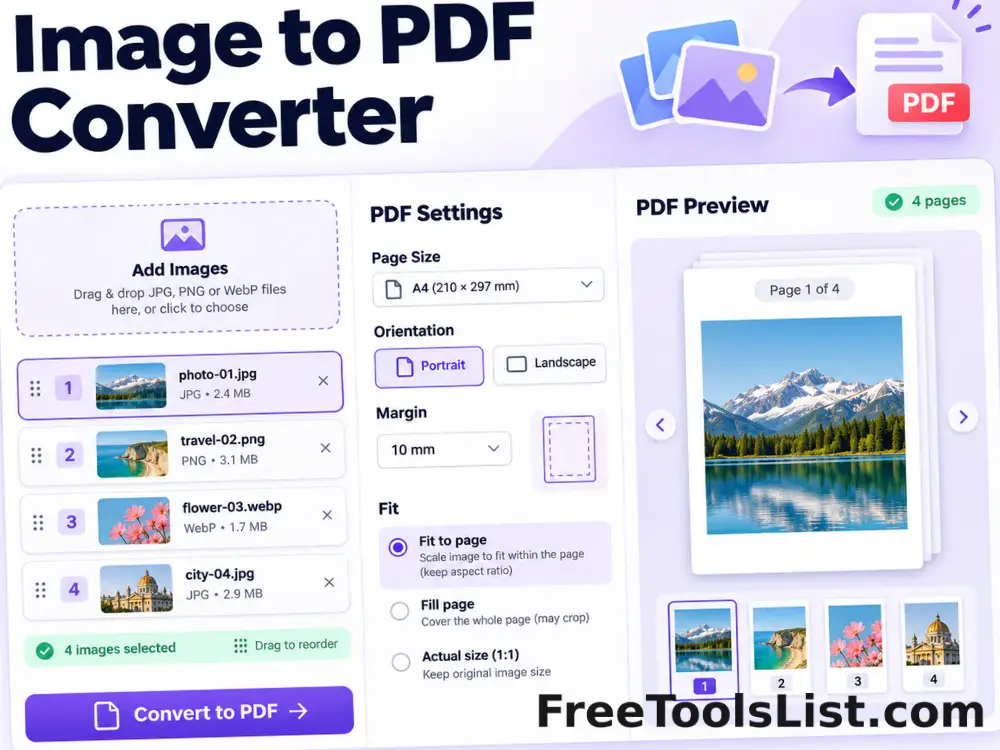
Combine JPG, PNG and WebP images into a polished PDF with drag-and-drop ordering, page-size, orientation, margin and fit controls plus a live page canvas.
Use this tool to build a shareable multi-page document from photos, scans, receipts, diagrams, screenshots or artwork. The browser decodes each image, fits it to the selected page and margin settings, previews that composition on canvas, then writes every page into a new PDF.
Important: Very large images use more browser memory. Resize unusually large camera photos first when working on a low-memory device.
LOCALPrivate processing
CANVASVisual preview
NEWSeparate output
0Accounts needed