Modern local photo correction

Shadow & Highlight Editor

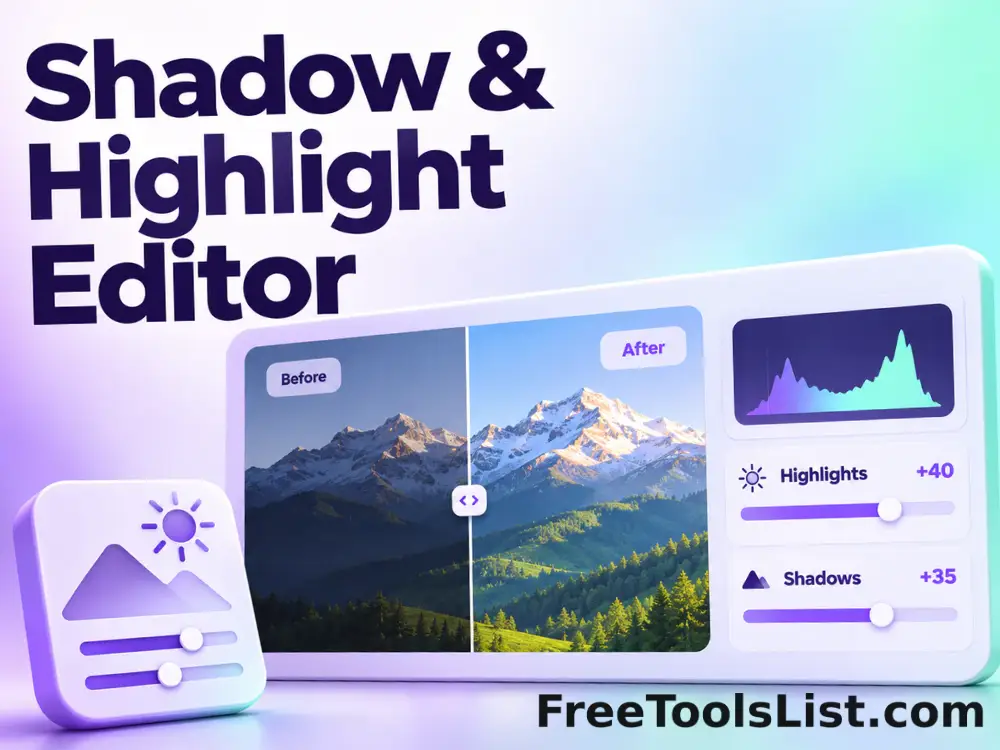
Lift dark areas, restrain bright regions and adjust local midtone contrast with tonal-width and radius controls.

● Preview every change · Browser-local · Original safe

Shadow & Highlight Editor workspace

Apply the correction, drag across the live comparison and save only after the result looks right.

Local · no uploads

Loading the correction canvas…

Quick Tool Overview

Shadow / Highlight with an inspectable result.

Use Shadow & Highlight Editor to recover usable tonal detail from backlit, high-contrast or unevenly exposed photographs.

A blurred local luminance map identifies shadow and highlight neighborhoods. Separate weighted corrections are then applied before the selected midtone contrast adjustment.

LIVEBefore / after canvas
LOCALPrivate correction
S/HFocused controls
0Accounts needed
Review before saving. Pixels clipped to solid black or white contain no recoverable detail, and strong shadow lifting can expose sensor noise.
About the Tool

What Shadow & Highlight Editor does.

Primary purpose

Use this page to recover usable tonal detail from backlit, high-contrast or unevenly exposed photographs.

Transparent method

A blurred local luminance map identifies shadow and highlight neighborhoods. Separate weighted corrections are then applied before the selected midtone contrast adjustment.

Before-and-after inspection

The draggable comparison canvas reveals exactly where the correction changes the source.

Private local workflow

Your selected image is decoded and corrected inside the browser without an external image-processing API.

Original-safe export

The source is only read. PNG, JPEG and WebP exports are created as separate files.

Important limitation

Pixels clipped to solid black or white contain no recoverable detail, and strong shadow lifting can expose sensor noise.

Key Features

A modern correction workspace built for review.

↔

Draggable comparison

Move a divider between the original and corrected canvas before downloading.

S/H

Focused controls

Adjust shadow and highlight amounts, tonal widths, local radius and midtone contrast without an overloaded editor.

⌂

Local processing

Image pixels remain in this tab throughout analysis, preview and export.

↓

Flexible export

Save the corrected result as PNG, JPEG or WebP after the preview is approved.

How to Use Shadow & Highlight Editor

Complete the correction in six detailed steps.

Choose or load an image

Select a local source image, or use Load demo to inspect the correction safely. The original file remains unchanged.

Step 1: Keep the original available for comparison.

Set the correction controls

Adjust shadow and highlight amounts, tonal widths, local radius and midtone contrast. Each setting is visible so the result can be repeated and explained.

Step 2: Keep the original available for comparison.

Update the live preview

The correction runs locally and renders a combined before-and-after canvas without waiting for an upload queue.

Step 3: Keep the original available for comparison.

Drag the comparison divider

Move the Before / After control across important areas. Check noise in lifted shadows and flatness in restrained highlights at full preview size.

Step 4: Move the divider across detailed and flat areas.

Review measurements and limitations

Confirm the output dimensions and correction summary. Pixels clipped to solid black or white contain no recoverable detail, and strong shadow lifting can expose sensor noise.
Step 5: Keep the original available for comparison.

Save a separate result

Choose PNG, JPEG or WebP and save only after the corrected canvas looks right. The original is never overwritten.

Step 6: Keep the original available for comparison.

Ready to correct the image?

Preview the complete change before saving.

No upload queue, account, watermark or source overwrite.

Open Shadow / Highlight →

Frequently Asked Questions

Popular shadow / highlight questions.

A blurred local luminance map identifies shadow and highlight neighborhoods. Separate weighted corrections are then applied before the selected midtone contrast adjustment.

Yes. The live canvas includes a draggable Before / After divider, while the saved file contains only the corrected result.

No. Decoding, analysis, correction and export run locally in this browser tab.

Use PNG for repeated editing or graphics, JPEG for ordinary photographs, and WebP for compatible web workflows.

Check noise in lifted shadows and flatness in restrained highlights at full preview size.

Pixels clipped to solid black or white contain no recoverable detail, and strong shadow lifting can expose sensor noise.

Keep exploring

Similar Tools

Continue with related free tools selected from this category and the wider directory.

20 tools
Photo Color Balance Editor tool previewPCImages

Photo Color Balance Editor

Correct color casts with cyan–red, magenta–green and yellow–blue axes across shadows, midtones, highlights or all tones.

Bulk Change Image Brightness tool previewBCImages

Bulk Change Image Brightness

Process multiple images locally to adjust image brightness from deep shadow to bright highlight, review every result, and download the completed batch as a ZIP.

Bulk Duotone Image Effect tool previewBDImages

Bulk Duotone Image Effect

Process multiple images locally to map shadows and highlights to two chosen colors, review every result, and download the completed batch as a ZIP.

Change Image Brightness tool previewCIImages

Change Image Brightness

Change Image Brightness lets you adjust image brightness from deep shadow to bright highlight locally in your browser, compare the result, and download a ready-to-use file.

Duotone Image Effect tool previewDIImages

Duotone Image Effect

Duotone Image Effect lets you map shadows and highlights to two chosen colors locally in your browser, compare the result, and download a ready-to-use file.

Animated GIF Effects & Transparency Editor tool previewAGImages

Animated GIF Effects & Transparency Editor

Adjust brightness, contrast, saturation and hue, apply grayscale, sepia, invert or glitch effects, or remove a selected color from every animated GIF frame with live canvas feedback.

Animated GIF Logo, Sticker, Paint & Censor Editor tool previewAGImages

Animated GIF Logo, Sticker, Paint & Censor Editor

Place a logo or emoji, paint freehand marks, or blur and pixelate a selected region across an animated GIF using movable canvas overlays and local re-encoding.

Animated GIF Timeline, Speed & Boomerang Editor tool previewAGImages

Animated GIF Timeline, Speed & Boomerang Editor

Trim frames, change speed, reverse playback, make a boomerang, reorder individual frames and set the loop count on a visual GIF timeline before re-encoding locally.

Bulk Glow Image Effect tool previewBGImages

Bulk Glow Image Effect

Process multiple images locally to combine a blurred highlight layer with the original image, review every result, and download the completed batch as a ZIP.

Bulk Image Processing & Bulk Image Editor — Edit EXIF, IPTC & GPS Metadata tool previewBIImages

Bulk Image Processing & Bulk Image Editor — Edit EXIF, IPTC & GPS Metadata

Process multiple images at once: rename, resize, rotate, flip, watermark, convert formats, edit EXIF and IPTC fields, add GPS coordinates and preserve folder trees.

Bulk Lighten Image tool previewBLImages

Bulk Lighten Image

Process multiple images locally to lift shadows and brighten the whole image, review every result, and download the completed batch as a ZIP.

EXIF Metadata Editor tool previewEMImages

EXIF Metadata Editor

Edit common photo titles, descriptions, creator details, dates, keywords, rights, camera fields and GPS coordinates without recompressing JPEG pixels.

GIF Metadata Viewer & Loop Count Editor tool previewGMImages

GIF Metadata Viewer & Loop Count Editor

Inspect GIF dimensions, file size, frame count, duration, average delay, aspect ratio and loop behavior, preview the animation and re-encode it with a new loop count.

Glow Image Effect tool previewGIImages

Glow Image Effect

Glow Image Effect lets you combine a blurred highlight layer with the original image locally in your browser, compare the result, and download a ready-to-use file.

Image Difference Finder tool previewIDImages

Image Difference Finder

Compare two images pixel by pixel and highlight changed areas with adjustable threshold, background and opacity.

Lighten Image tool previewLIImages

Lighten Image

Lighten Image lets you lift shadows and brighten the whole image locally in your browser, compare the result, and download a ready-to-use file.

Photo Collage Maker tool previewPCImages

Photo Collage Maker

Arrange multiple images into a customizable grid with cell size, columns, gaps, padding, fitting, background and shadows.

Profile Picture Maker tool previewPPImages

Profile Picture Maker

Create a polished square or circular profile picture with zoom, rotation, position, background, ring, shadow and filter controls on a live 1080×1080 canvas.

Screenshot Beautifier tool previewSBImages

Screenshot Beautifier

Turn one or many screenshots into polished presentation graphics with gradient backgrounds, social ratios, padding, rounded corners, browser chrome, shadows, a live canvas and ZIP export.

360° Bottom Pole Converter tool preview3BImages

360° Bottom Pole Converter

Free online 360 bottom pole converter. Convert a circular polar image into a wide equirectangular bottom-pole strip for 360° panoramas, with radius, rotation, feathering, flip and export controls. Preview the polar-to-strip result locally before downloading.

PublishedUpdated