Private local archive workspace

Archive Extractor

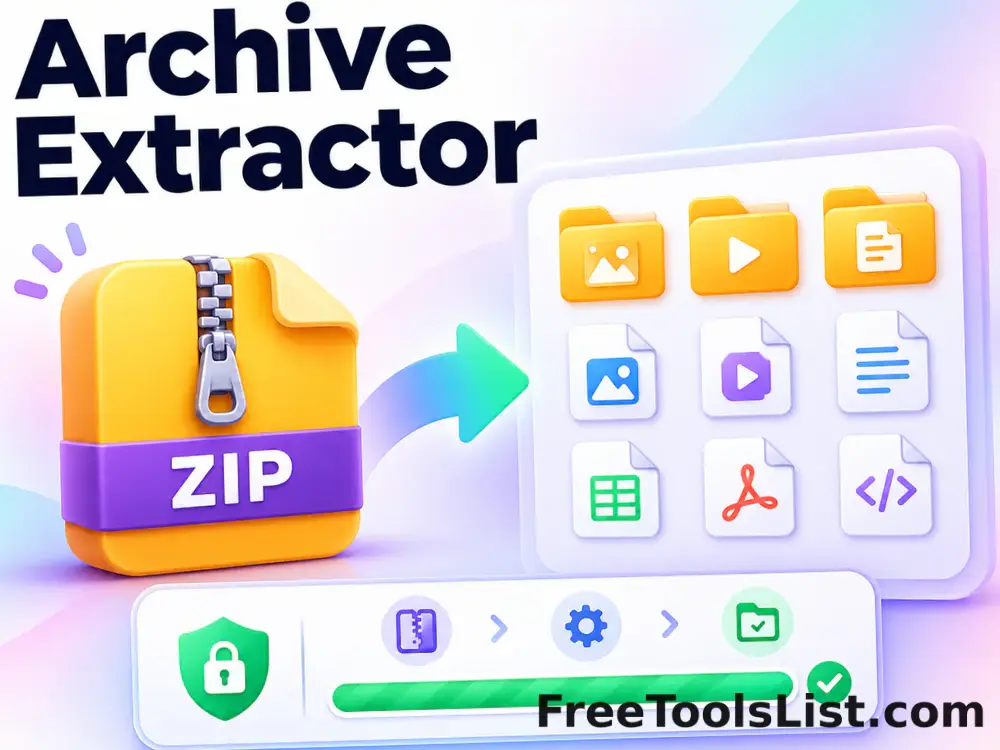
Extract standard or AES-encrypted ZIP archives plus TAR, GZ, TAR.GZ and TGZ files locally, inspect every entry on a canvas, and download individual files or a new ZIP.

● Local files · Review canvas · Original safe

Archive Extractor workspace

Review the complete archive map and measurements before saving any result.

Local · no uploads

Loading the archive workspace…

Quick Tool Overview

Archive Extractor with reviewable local output.

Use Archive Extractor to open common archive formats without uploading their contents or passwords.

ZIP files are parsed with the bundled zip.js library, including AES and legacy encrypted entries. TAR headers are read locally, while GZ and TGZ payloads are decompressed with the browser gzip stream before safe paths and file sizes are reviewed.

LOCALPrivate processing
CANVASArchive preview
OUTFocused workflow
0Accounts needed
Review before saving. Archive contents can expand far beyond the compressed size. This page limits source archives to 100 MB and blocks unsafe absolute or parent-directory paths.
About the Tool

What Archive Extractor does.

Primary purpose

Use this page to open common archive formats without uploading their contents or passwords.

Transparent method

ZIP files are parsed with the bundled zip.js library, including AES and legacy encrypted entries. TAR headers are read locally, while GZ and TGZ payloads are decompressed with the browser gzip stream before safe paths and file sizes are reviewed.

Canvas-first review

The composition canvas summarizes entries, paths, file types and bytes before the final download becomes available.

Private local workflow

Files and passwords remain in this browser tab; no remote conversion service receives them.

Original-safe output

Source files are read only. Archives and extracted downloads are created as separate files.

Important limitation

Archive contents can expand far beyond the compressed size. This page limits source archives to 100 MB and blocks unsafe absolute or parent-directory paths.

Key Features

A modern archive workflow built for careful review.

▦

Archive canvas

See a real visual map of queued or extracted entries before saving.

AES

Password support

Open standard, traditional password and AES-encrypted ZIP entries.

⌂

Local processing

Archive bytes and passwords remain in the current browser.

↓

Reviewable downloads

Download individual entries or package the reviewed results.

How to Use Archive Extractor

Complete the task in six detailed steps.

Choose an archive

Select one ZIP, TAR, GZ, TAR.GZ or TGZ file up to 100 MB. The source remains untouched.

Step 1: Keep original files available until the output has been tested.

Enter a password when required

For encrypted ZIP files, enter the archive password. It remains in this tab and is never saved.

Step 2: Keep original files available until the output has been tested.

Extract locally

Run automatic format detection and local decompression. Processing time depends on compressed and expanded size.

Step 3: Keep original files available until the output has been tested.

Review the canvas

Inspect the archive map, entry count, expanded bytes and file-type distribution before downloading.

Step 4: Use the canvas and measurements to verify the intended archive.

Inspect safe paths

Review file names and folders. Unsafe absolute paths and parent-directory traversal components are removed.

Step 5: Keep original files available until the output has been tested.

Download results

Save entries individually or package all extracted files into a new standard ZIP.

Step 6: Keep original files available until the output has been tested.

Ready to process locally?

Review the archive canvas before saving.

No remote upload, account, watermark or original-file overwrite.

Open Archive Extractor →

Frequently Asked Questions

Popular archive extractor questions.

The page opens standard ZIP, AES-encrypted ZIP, TAR, GZ, TAR.GZ and TGZ files. A plain GZ normally contains one compressed file, while TAR.GZ and TGZ can contain folders and many files.

Yes. zip.js supports traditional password protection and AES-encrypted ZIP entries. Enter the correct password before extraction.

No. Parsing, decryption, decompression and result packaging run in the browser.

Absolute paths, drive prefixes and parent-directory components are removed before an extracted filename is displayed or downloaded.

Yes. After extraction, download entries individually or build a new standard ZIP containing the reviewed safe paths.

Compressed data can expand dramatically. Browser memory holds decoded entries, so use smaller archives when possible and close the tab after finishing.

Keep exploring

Similar Tools

Continue with related free tools selected from this category and the wider directory.

20 tools
ZIP File Compressor tool previewZFFiles

ZIP File Compressor

Create a ZIP from up to 100 local files with archive naming, compression levels, optional AES-256 password protection, progress, a composition canvas and download-after-review workflow.

Base64 Encode tool previewBEFiles

Base64 Encode

Encode Unicode text or a selected file as raw Base64 or a ready-to-use data URL, entirely in your browser.

Base64 Image Decoder tool previewBIFiles

Base64 Image Decoder

Decode Base64 into text, a downloadable file or a detected image with an instant canvas preview, resolution, MIME type and byte size.

Corrupt a File tool previewCAFiles

Corrupt a File

Create a deliberately altered copy of an existing file with controlled corruption while keeping the original untouched.

Corrupt File Generator tool previewCFFiles

Corrupt File Generator

Create an intentionally invalid dummy file of an exact size and chosen extension for safe error-handling tests.

Join Files tool previewJFFiles

Join Files

Arrange numbered file pieces in the correct order and join their bytes into one reconstructed download.

Random File Generator tool previewRFFiles

Random File Generator

Generate one or many dummy files filled with cryptographic random bytes and configurable sizes and filenames.

Split Files tool previewSFFiles

Split Files

Divide any file into byte-exact numbered pieces by quantity or maximum part size, then download each piece or one ZIP.

Bulk Image Palette Extractor tool previewBIImages

Bulk Image Palette Extractor

Extract color palettes from up to 20 images in one local batch and download a combined CSV.

Column Extractor tool previewCEText

Column Extractor

Extract any numbered column from comma, tab, pipe, semicolon or custom-delimited text with trimming, quoted-field and header controls.

Date & Timestamp Extractor tool previewDTData

Date & Timestamp Extractor

Extract ISO 8601 timestamps, common numeric dates, written English dates and Unix timestamps from documents or logs, then validate, deduplicate, sort and preview them.

Domain Extractor from Text tool previewDENetworking

Domain Extractor from Text

Extract domain names from URLs, prose, logs or pasted lists locally, normalize optional www prefixes, count occurrences and export a clean unique list.

Email Address Extractor tool previewEAData

Email Address Extractor

Extract unique email addresses from pasted text or a local text file, normalize and sort results, summarize domains, and review findings on a private canvas.

File Path & Directory Extractor tool previewFPData

File Path & Directory Extractor

Extract Windows drive paths, UNC shares, Unix paths and file URLs from logs, stack traces and code with type filters, deduplication and a visual review canvas.

GIF Frame Extractor & Sprite Sheet Maker tool previewGFImages

GIF Frame Extractor & Sprite Sheet Maker

Extract every GIF frame to PNG, inspect a thumbnail filmstrip, download selected frames or a ZIP, and arrange the sequence into a configurable sprite sheet canvas.

Hash, UUID & JWT Extractor tool previewHUData

Hash, UUID & JWT Extractor

Extract MD5, SHA-1, SHA-256, SHA-512, UUID/GUID and JWT-shaped tokens from logs or mixed text, then filter, deduplicate, sort and preview results locally.

Hashtag & Social Handle Extractor tool previewHSText

Hashtag & Social Handle Extractor

Extract hashtags and @usernames from pasted captions, comments or a local text file, remove duplicates, sort results, inspect counts on a summary canvas and copy or download clean lists.

HREF Link Extractor tool previewHLNetworking

HREF Link Extractor

Extract anchor destinations and text from pasted HTML locally or retrieve a public webpage through the protected local server, with deduplication and resolved URLs.

IPv4 & IPv6 Address Extractor tool previewIIData

IPv4 & IPv6 Address Extractor

Find valid IPv4 and IPv6 addresses in server logs, firewall exports and diagnostic text with protocol filters, deduplication and sorting.

JSON, XML & YAML Key Extractor tool previewJXDeveloper

JSON, XML & YAML Key Extractor

Extract JSON and YAML property names or full paths plus XML element and attribute names with namespace, uniqueness, sorting and export controls.

PublishedUpdated