Private number workspace

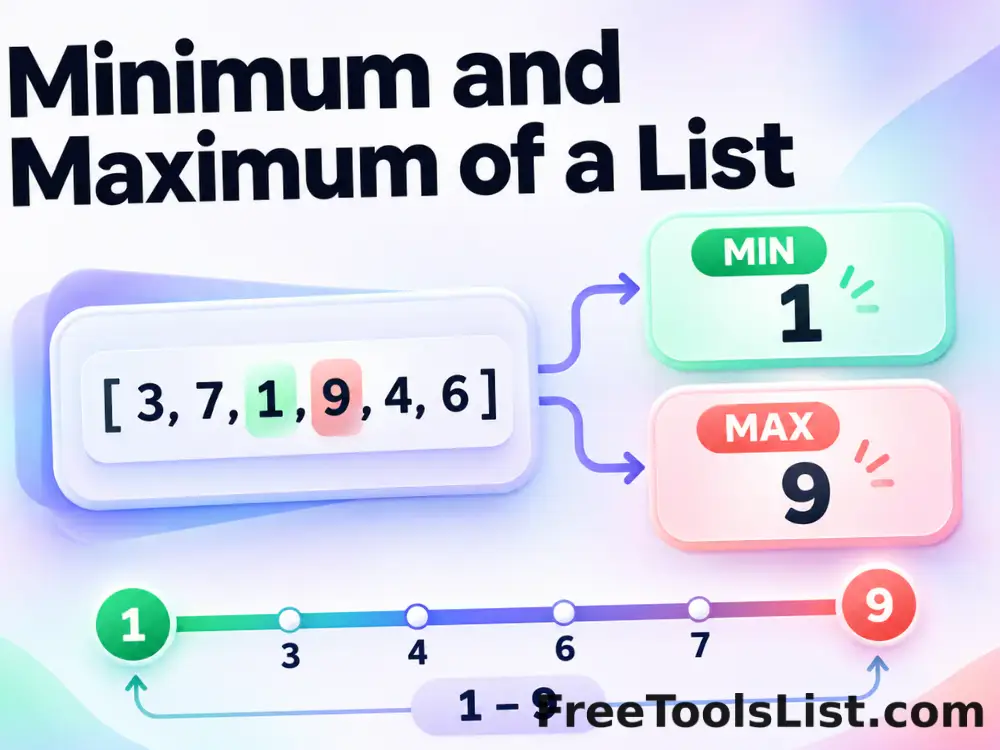
Minimum and Maximum of a List

Find the smallest value, largest value and range in a number list with configurable decimal and thousands separators. Inputs and results stay in the current browser tab.

● Local browser calculation · No sign-up

Minimum and Maximum of a List workspace

Range equals maximum minus minimum; repeated values remain part of the input count.

Private browser number processing

Parsing options

Select the separators used by the source list before calculating.

When whitespace is a thousands separator, put each number on a new line or separate values with semicolons.

Ready to calculate locally.
Result—
Enter values and calculate.

Exact conversion tools use BigInt; statistical tools show the parsed count and formula context.

Quick Tool Overview

Work with numbers using explicit rules and visible results.

Parse a list using explicit locale separators and identify its numerical bounds. It is designed for measurement review, finance exports, survey results, test scores and quick data validation.

Range equals maximum minus minimum; repeated values remain part of the input count. The workspace validates inputs before producing a result so formatting mistakes are easier to identify.

⇤⇥Focused workflow
✓Validated input
⌂Local processing
TXTReusable output
Clear inputs, dependable output

Set the numeric rules before calculating.

Review separators, bases, bounds and filter conditions so the result matches the intended dataset.

Open Minimum & Maximum

About the Tool

What the Minimum and Maximum of a List helps you do.

Purpose-built inputs

The workspace exposes only the values and controls required for this numeric task.

Defined calculation

Range equals maximum minus minimum; repeated values remain part of the input count.

Helpful validation

Invalid digits, contradictory range steps, separator conflicts and empty conditions produce a clear message.

Private processing

Calculations run in the browser without sending source lists to an external service.

Large integer accuracy

Base, binary and hexadecimal conversions use BigInt to avoid ordinary floating-point integer limits.

Reusable results

Copy a single answer or download generated and transformed lists as plain text.

Key Features

A complete numeric workflow with practical controls.

⇤⇥

Task-specific options

Controls map directly to the sequence, filter, statistic or conversion being calculated.

✓

Strict validation

Unsupported digits and malformed values are reported instead of guessed.

⌂

Browser-local math

Lists and conversion values stay on this device.

↗

Easy handoff

Copy answers or download list output for use in another application.

How to Use the Minimum and Maximum of a List

Calculate and verify the result in six steps.

Prepare the source

Enter the number list, range settings or numeral to convert.

Tip: Keep one consistent decimal format within a list.

Choose parsing options

Select separators, bases or conversion direction before calculation.

Tip: A thousands separator must differ from the decimal separator.

Set the rules

Choose range steps, filter conditions, sort order or rounding as applicable.

Tip: OR matches any condition; AND requires every enabled filter.

Run the tool

Calculate and review the result, status message and displayed context.

Tip: Resolve any validation message instead of removing data blindly.

Verify an example

Check one or two values manually, especially when converting bases or locale-formatted numbers.

Tip: Confirm that the selected base accepts every source digit.

Copy or download

Move the reviewed result into the next worksheet, document or code task.

Tip: Plain-text downloads preserve one generated value per line.

Ready to calculate?

Process the numbers locally with visible rules.

Use validated controls and copyable results without creating an account.

Find minimum and maximum →

Frequently Asked Questions

Popular minimum and maximum of a list questions.

Yes. The Minimum and Maximum of a List works without an account, subscription or external calculation service.

No. Lists, conversion inputs and results are processed in the current browser tab.

The tool stops and explains the invalid input instead of silently ignoring it. Review separators, digits and enabled conditions before running again.

Yes for list tools and positional base conversions. Roman numerals use the conventional supported range of 1 through 3999.

Yes. List tools include copy and text download controls, while single-value tools provide a copy button.

Keep exploring

Similar Tools

Continue with related free tools selected from this category and the wider directory.

20 tools
Average of a List tool previewAONumbers

Average of a List

Calculate the arithmetic mean and sum of a number list with locale-aware separators and controlled rounding.

Filter Numbers tool previewFNNumbers

Filter Numbers

Preserve or remove list values using greater-than, less-than, even, odd, multiple and divisor conditions with OR or AND logic.

Generate List of Numbers tool previewGLNumbers

Generate List of Numbers

Generate an ascending or descending number sequence with a custom first value, last value, step, padding, prefix, suffix and output layout.

Sort Numbers tool previewSNNumbers

Sort Numbers

Arrange a list of integers or decimals in ascending, descending or cryptographically randomized order.

Length Unit Converter tool previewLUNumbers

Length Unit Converter

Convert meters, kilometers, centimeters, millimeters, inches, feet, yards, miles and nautical miles with precision, swap, copy, history and reference controls.

Roman Numerals Converter tool previewRNNumbers

Roman Numerals Converter

Convert canonical Roman numerals to decimal integers or numbers from 1 to 3999 into standard Roman notation.

Binary Converter tool previewBCNumbers

Binary Converter

Convert exact signed integers from binary to decimal or decimal to binary with strict digit validation.

Binary to Hex & Number Base Converter tool previewBTNumbers

Binary to Hex & Number Base Converter

Convert binary to hexadecimal, hexadecimal to binary, or signed integers between any bases from 2 through 36 with exact browser BigInt arithmetic.

Hexadecimal Converter tool previewHCNumbers

Hexadecimal Converter

Convert exact signed integers from hexadecimal to decimal or decimal to uppercase hexadecimal.

API Input Validation Test Data Generator tool previewAIDeveloper

API Input Validation Test Data Generator

Create authorized API QA payloads for valid, missing, wrong-type, below-minimum, above-maximum and special-character boundary cases, then export JSON, NDJSON, CSV or XML.

Audio Silence Remover tool previewASAudio & Video

Audio Silence Remover

Detect and remove quiet sections using adjustable threshold and minimum-silence controls, with before-and-after waveform review.

Coin Flipper tool previewCFRandomness

Coin Flipper

Flip a virtual coin once or many times with custom side names, list, table and ratio output.

CSV to Fixed Width Converter tool previewCTData Conversion

CSV to Fixed Width Converter

Convert CSV into aligned fixed-width text with measured column sizes, configurable minimum widths, optional separators and right-aligned numeric fields.

Domain Extractor from Text tool previewDENetworking

Domain Extractor from Text

Extract domain names from URLs, prose, logs or pasted lists locally, normalize optional www prefixes, count occurrences and export a clean unique list.

Dummy JSON Data Generator tool previewDJDeveloper

Dummy JSON Data Generator

Build a reorderable field schema and generate seeded mock records as JSON, NDJSON, CSV or XML with realistic names, emails, UUIDs, dates, URLs and other data types.

Hashtag & Social Handle Extractor tool previewHSText

Hashtag & Social Handle Extractor

Extract hashtags and @usernames from pasted captions, comments or a local text file, remove duplicates, sort results, inspect counts on a summary canvas and copy or download clean lists.

List Randomizer tool previewLRText

List Randomizer

Randomize the order of names, choices or list items locally with a secure browser shuffle, then copy or download the result.

Long-Tail Keyword Generator tool previewLTWeb & SEO

Long-Tail Keyword Generator

Generate specific long-tail keyword ideas from a seed topic, audience, location and search intent. Copy the list or download it as a text file.

Lorem Ipsum Generator tool previewLIText

Lorem Ipsum Generator

Generate placeholder paragraphs, sentences, words, exact character counts or list items with classic opening and optional HTML tags, live statistics and a visual canvas before export.

MAC Address Extractor tool previewMAData

MAC Address Extractor

Extract colon, hyphen, Cisco-dot and plain 48-bit MAC address candidates from network text, normalize their format, deduplicate and preview the reviewed list.

PublishedUpdated