Focused SEO Insight workspace

Favicon Checker

Discover declared favicon link elements, resolve the primary icon URL, check its HTTP response and content type, and review sizes and fallback behavior.

● Focused results · Canvas preview · No sign-up

Favicon Checker workspace

Run the focused workflow, inspect the result and canvas, then save only after review.

Canvas preview enabled

Loading SEO workspace…

Quick Tool Overview

Focused SEO work without a crowded dashboard.

Use Favicon Checker to confirm that a public page exposes a reachable browser icon with explicit declarations suitable for common clients. The output remains visible and exportable instead of hiding the reasons behind one opaque score.

The server parses icon, shortcut icon, apple-touch-icon and mask-icon links, resolves the first candidate or /favicon.ico fallback and sends a protected HEAD request.

LIVEFocused feedback
PNGCanvas review
SEOClear context
0Accounts needed
Review before action

Inspect the full result and canvas before changing a live campaign or page.

A successful response does not verify every pixel dimension, platform crop, transparency or manifest icon. Test important icons in real browsers and installed experiences.

Open Favicon Checker

About the Tool

What Favicon Checker helps you do.

Purpose

confirm that a public page exposes a reachable browser icon with explicit declarations suitable for common clients.

How it works

The server parses icon, shortcut icon, apple-touch-icon and mask-icon links, resolves the first candidate or /favicon.ico fallback and sends a protected HEAD request.

Focused evidence

Checks, values and recommendations remain visible instead of collapsing into one unexplained score.

Original-safe workflow

Generators create new output, while live checkers do not change the analyzed website.

Visual verification

A downloadable canvas summarizes the current result before any report is saved.

Important limitation

A successful response does not verify every pixel dimension, platform crop, transparency or manifest icon. Test important icons in real browsers and installed experiences.

Key Features

Modern, compact and transparent controls.

✓

Icon link discovery

Review this signal directly with clear status, supporting detail and exportable output.

↗

Fallback favicon check

Review this signal directly with clear status, supporting detail and exportable output.

⌂

HTTP status and MIME review

Review this signal directly with clear status, supporting detail and exportable output.

↙

Declared size inspection

Review this signal directly with clear status, supporting detail and exportable output.

How to Use Favicon Checker

Complete the task in six reviewable steps.

1. Enter the public page

Enter the public page URL.

Tip: Keep decisions aligned with the real page, audience and platform.

2. Fetch its HTML and

Fetch its HTML and icon declarations.

Tip: Keep decisions aligned with the real page, audience and platform.

3. Review the selected resolved

Review the selected resolved icon URL.

Tip: Keep decisions aligned with the real page, audience and platform.

4. Check response status and

Check response status and image MIME type.

Tip: Keep decisions aligned with the real page, audience and platform.

5. Add explicit formats and

Add explicit formats and sizes where useful.

Tip: Use both the detailed checks and visual canvas.

6. Test appearance in real

Test appearance in real browsers and devices.

Tip: Keep decisions aligned with the real page, audience and platform.

Ready to check the result?

Favicon Checker keeps the evidence visible.

Run the focused workflow, review each signal and export only what you intend to use.

Use Favicon Checker →

Frequently Asked Questions

Popular favicon checker questions.

Yes as a compatibility fallback, but explicit rel=icon declarations provide clearer format and size choices.

No. It checks declarations and the response; visual dimensions and rendering still need real client testing.

Yes. It works without an account, watermark or usage quota.

Local generators run in the browser. Live checkers use only the bundled local server to retrieve the public URL you submit.

Yes. Search, advertising and technical outcomes depend on context and external systems, so inspect and test every change.

Keep exploring

Similar Tools

Continue with related free tools selected from this category and the wider directory.

20 tools
Canonical Tag Checker tool previewCTWeb & SEO

Canonical Tag Checker

Inspect a public page for missing, duplicate, invalid, cross-domain and non-self-referencing canonical links with resolved URLs and focused recommendations.

Core Web Vitals Checker tool previewCWWeb & SEO

Core Web Vitals Checker

Evaluate measured LCP, INP and CLS values against clear good, needs-improvement and poor thresholds, with optional TTFB guidance.

Domain Age Checker tool previewDAWeb & SEO

Domain Age Checker

Check a domain registration date, calculated age, expiration, registrar, statuses and name servers using available public RDAP data.

H1 Tag Checker tool previewHTWeb & SEO

H1 Tag Checker

Analyze live H1 headings, optional keyword alignment, heading counts, text length and skipped hierarchy levels with a visual review canvas.

Keyword Competition Checker tool previewKCWeb & SEO

Keyword Competition Checker

Estimate keyword competition from search demand, indexed results, average authority, referring domains, advertiser density and content quality. Review a 0–100 difficulty score and breakdown.

Noindex Checker tool previewNCWeb & SEO

Noindex Checker

Check a public webpage for noindex directives in meta robots, crawler-specific tags and the X-Robots-Tag header, plus a focused robots.txt warning.

On-Page SEO Checker tool previewOPWeb & SEO

On-Page SEO Checker

Analyze page titles, meta descriptions, headings, content, images, links, canonical tags, structured data and technical on-page SEO signals for free.

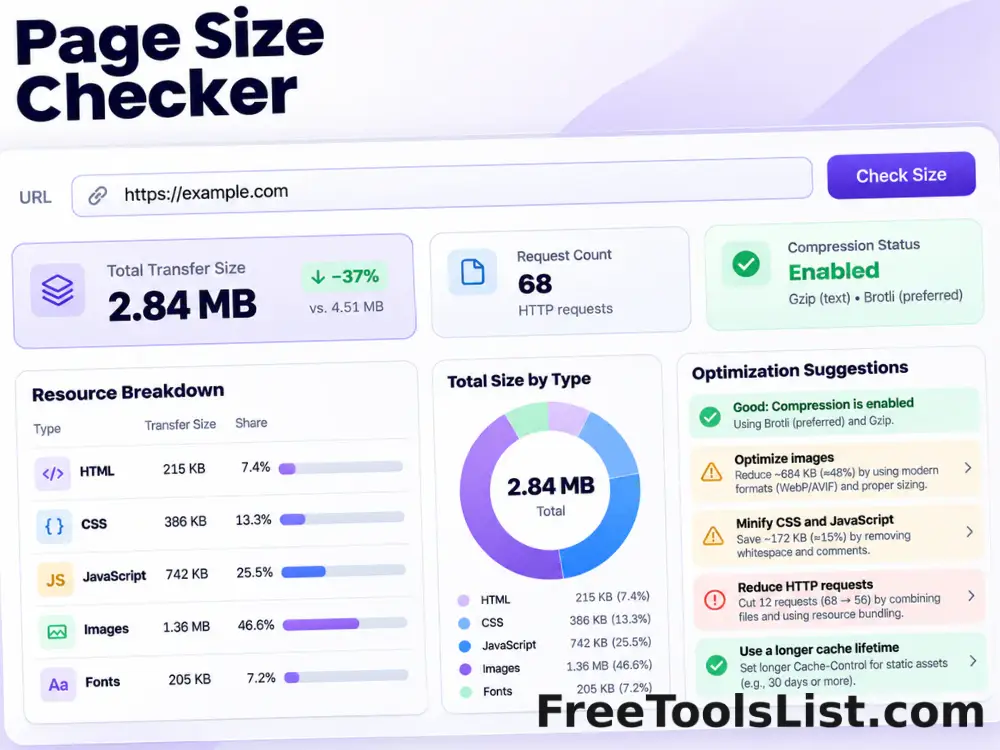
Page Size Checker tool previewPSWeb & SEO

Page Size Checker

Check a public webpage

Redirect Checker tool previewRCWeb & SEO

Redirect Checker

Trace a public URL through HTTP redirects. Review every status code, destination, response time, final URL and redirect-chain length.

SERP Preview Tool tool previewSPWeb & SEO

SERP Preview Tool

Preview a page title, URL, favicon and meta description in desktop or mobile search-result layouts. Check approximate title width, description length and keyword alignment.

Title Tag Checker tool previewTTWeb & SEO

Title Tag Checker

Inspect a public page title for presence, duplicates, length, word count and optional topic alignment, then review the title with its fetched display URL.

Website Speed Checker tool previewWSWeb & SEO

Website Speed Checker

Check website response time, HTML size, resource counts, caching, compression, HTTPS and practical performance opportunities with a free website speed checker.

XML Sitemap Checker tool previewXSWeb & SEO

XML Sitemap Checker

Fetch a public XML sitemap or discover /sitemap.xml, validate its root and absolute locations, and review duplicates, external URLs and lastmod coverage.

Canonical Tag Generator tool previewCTWeb & SEO

Canonical Tag Generator

Normalize a preferred page URL and generate an HTML canonical link tag plus HTTP Link header example. Review alternate duplicate URLs.

Google Ads Description Generator tool previewGAWeb & SEO

Google Ads Description Generator

Create multiple Google Ads description ideas from a business summary, target keywords, tone and call to action, with exact character counts and a canvas review.

Google Ads Headline Generator tool previewGAWeb & SEO

Google Ads Headline Generator

Generate concise Google Ads headline ideas with target keywords, selectable tone and call to action, while validating every suggestion against a 30-character limit.

Hreflang Generator tool previewHGWeb & SEO

Hreflang Generator

Generate reciprocal hreflang link tags for localized pages with language, optional region and x-default URLs. Copy HTML or XML annotations.

Image Size Analyzer tool previewISWeb & SEO

Image Size Analyzer

Analyze image URLs found in a public webpage. Review reported file sizes, formats, alt text, dimensions and lazy-loading signals.

JSON-LD Schema Auto-Fixer tool previewJLWeb & SEO

JSON-LD Schema Auto-Fixer

Repair common JSON-LD problems including smart quotes, trailing commas, single-quoted values, unquoted keys, missing contexts, type casing, HTML in text and delimited arrays.

JSON-LD Schema Validator tool previewJLWeb & SEO

JSON-LD Schema Validator

Validate JSON-LD syntax, Schema.org context, required type properties, @graph references, date formats and unsafe URL protocols with a clear local diagnostic report.

PublishedUpdated